
Introducing LightUp Studio
Today we are opening the doors to LightUp Studio — an AI movie-production suite built right into LightUp.Cloud. Studio takes you from a rough idea, a script, or even a handful of sketches and photos all the way to a storyboarded, animated short film. Every creative step is powered by Grok, xAI's multimodal model, and every step is collaborative: you and your team can build a story together, in real time.
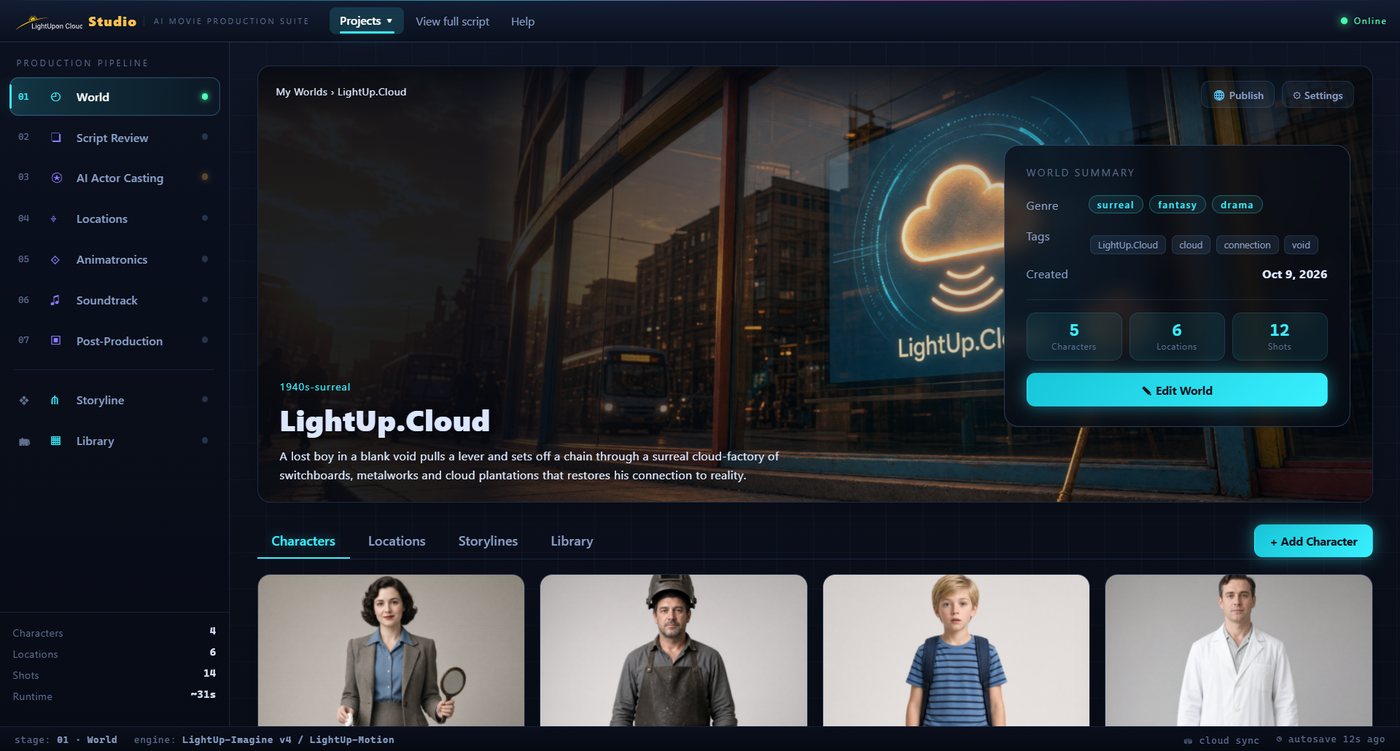
The Studio workspace: the seven-stage production pipeline on the left, your world's hero plate and logline, and the generated cast below. This project — "LightUp.Cloud" — has 5 characters, 6 locations and 12 shots.
A clip produced end-to-end in LightUp Studio with Grok.
From a Script to a Film
You start by creating a world. Upload whatever material you have — a PDF scenario, concept sketches, reference photos — and Studio reads all of it at once, with Grok's vision model, to assemble a single, coherent project. It extracts the cast, drafts a logline and tone, and lays out the story.
What Studio Can Do
- Cast your characters. Grok extracts every character from your material and generates a consistent, approvable reference portrait plus full turnaround, full-body and expression sheets — so the same face and costume follow the character across every shot.
- Design locations and props. Generate background plates and reusable prop art, or bind one of your own uploaded sketches as the authoritative plate so the location is reproduced faithfully.
- Write a shot-by-shot script. Studio compiles your story — not an invented one — into an ordered breakdown, preserving every concrete action, the exact camera, and the ending.
- Storyboard and animate. Split the script into connected episodes on a node-graph canvas, generate beat stills, then turn each beat into a short animated clip with frame-to-frame continuity.
- Score it. Compose an original soundtrack to picture.
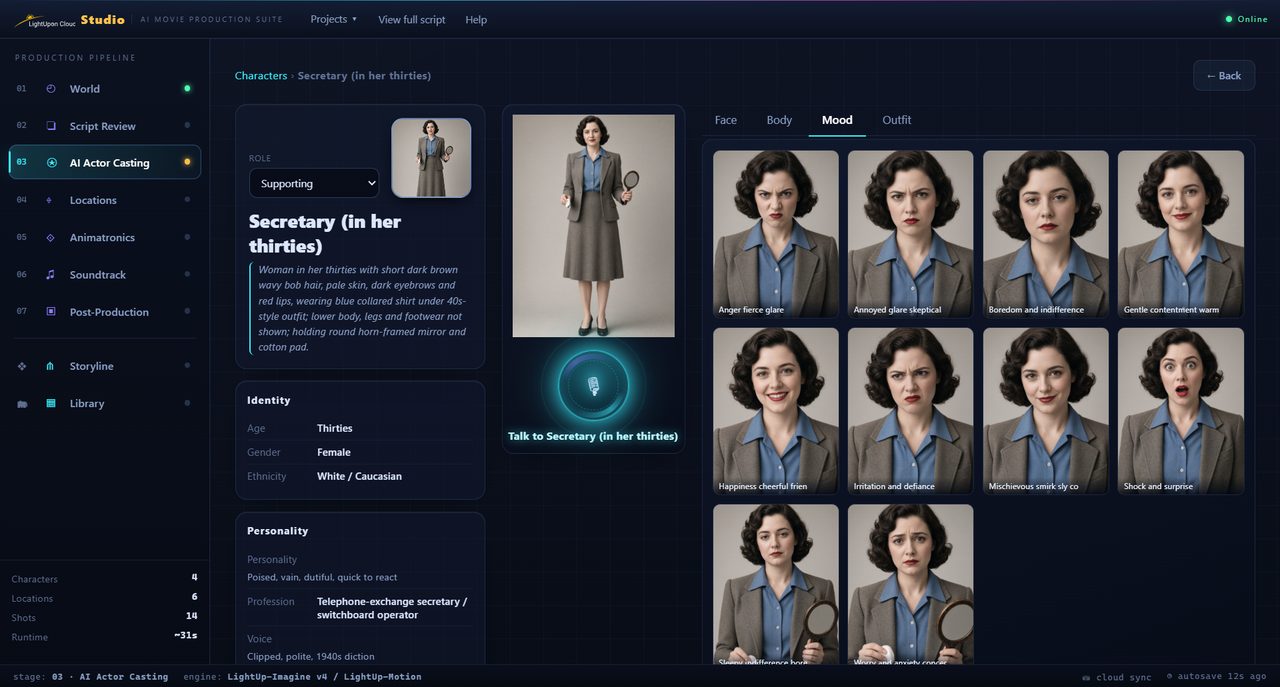
AI Actor Casting: every character gets an identity card, a personality and voice profile, and a full expression sheet — here the "mood" grid, from fierce glare to cheerful surprise, all keeping the same face and costume.
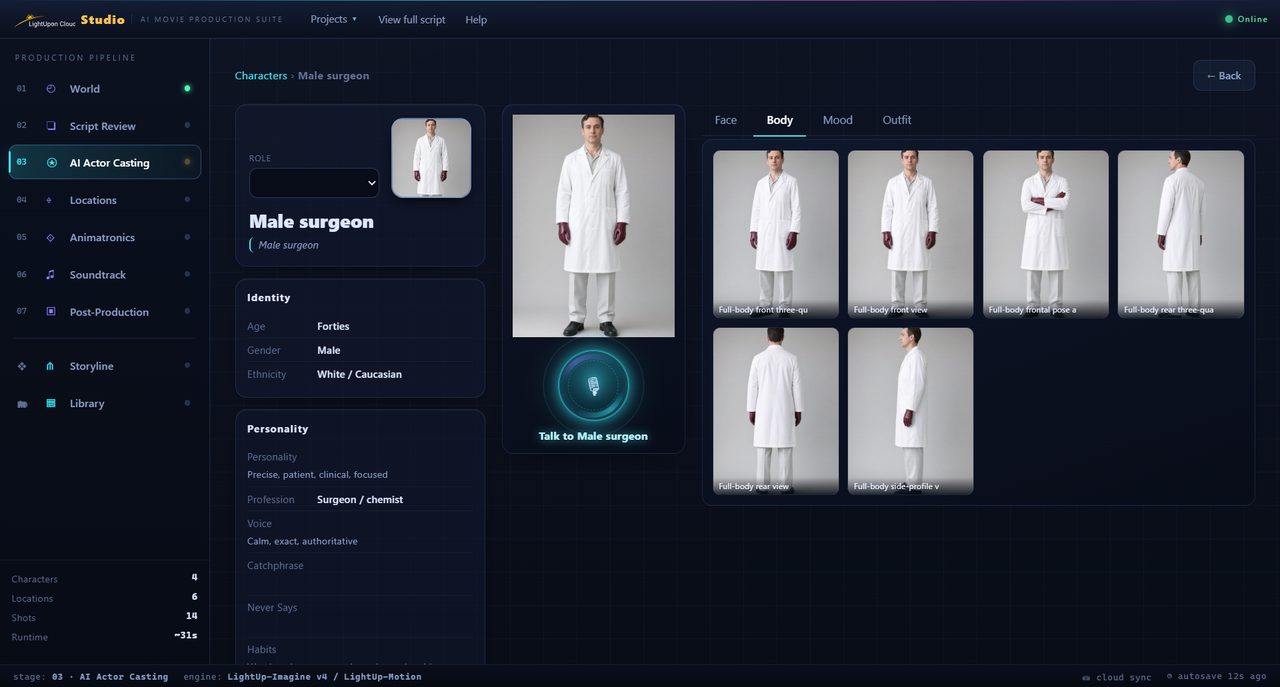
The "body" sheet produces a consistent turnaround — front, three-quarter, side and rear views — so the same costume and proportions follow the character into every shot.
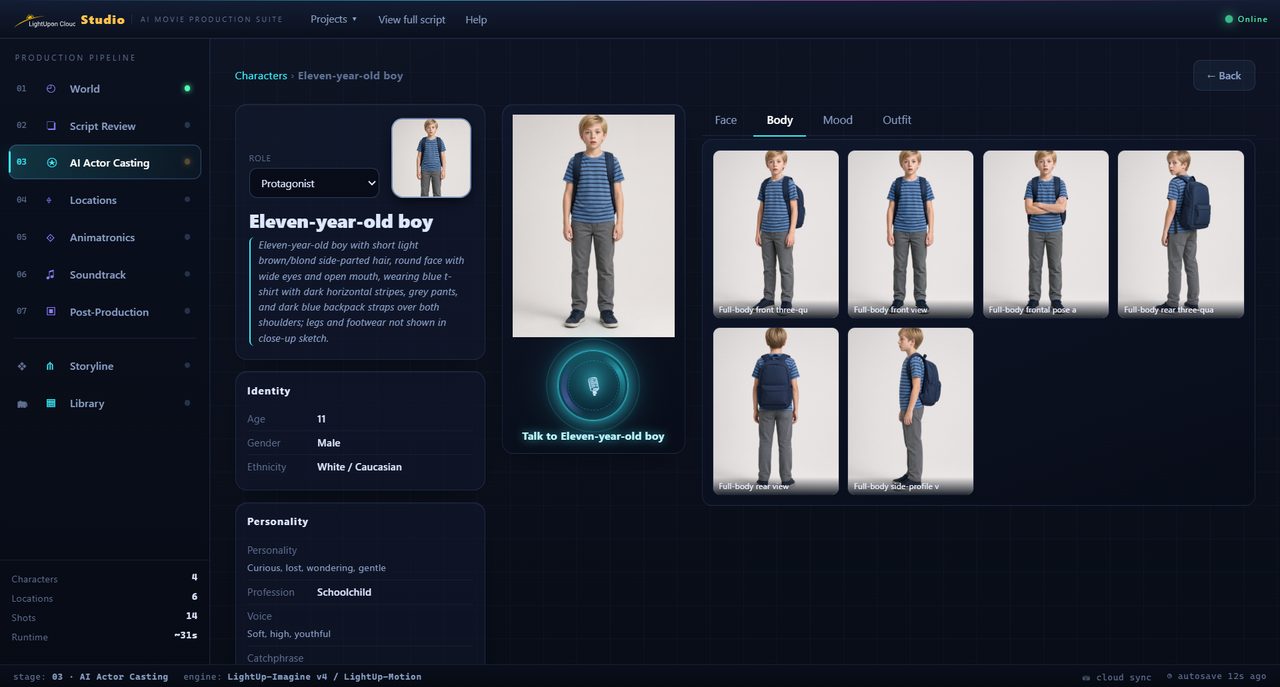
The protagonist, cast from the uploaded material: an approvable reference portrait plus full-body views, each generated faithfully from the character's written description.
Cinematographic Discipline, Not Just Prompts
The hard part of AI video is not making a pretty frame — it is keeping the story coherent. Studio classifies each beat against a library of filmmaking patterns (a continuous rising camera, an impact on an exact body part, a mirror reflection, a fog-dissolve transition, an over-the-shoulder follow) and injects the exact discipline each one needs: a per-second timeline, true-scale objects, and 180°-line screen-direction continuity so the camera never disorientingly jumps across your subject. Bad continuity is caught and flagged before a clip is ever generated.
Built on Grok
Studio uses Grok throughout — vision to read your documents and sketches, language to compile and enrich the script, and image and video generation to produce the art and the clips. The clip above was produced end-to-end in Studio with Grok. Your material is used faithfully and as-is: Studio never discards or substitutes what you provided.
Make It Together
Film is a team sport, so Studio is collaborative from the ground up. Open the Script Review and invite a collaborator with a single click — they join your workspace and edit the script with you live. Presence shows who is editing what, soft locks prevent two people from clobbering the same shot, and every change syncs in real time. The collaborative scenario is stored durably in your own workspace, under your control.
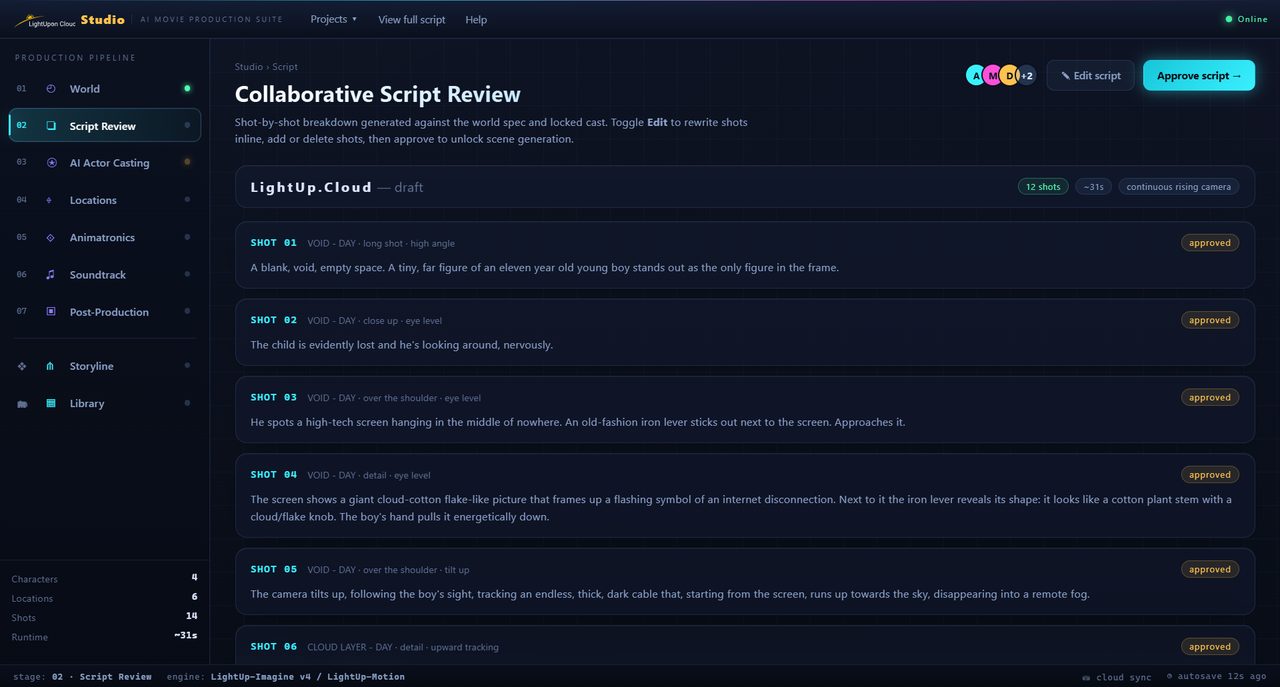
Collaborative Script Review: the shot-by-shot breakdown with per-shot camera and framing, approval states, and collaborator avatars in the corner — your whole team editing the same scenario live.
Try It
LightUp Studio is available now to workspaces on a paid plan with AI features enabled. Open Studio, create a world from your material, and bring your story to the screen.